
You're about to send a PDF and a small voice says, "Shouldn't I do something to this first?" Stamp DRAFT across it? Lock it with a password? Sign it? People often grab the wrong one, then wonder why the file still got forwarded to the wrong person or why the client asked, "Is this the final version?" The three options sound like cousins, but they solve three different problems. A watermark labels a document. A password controls who can open it. A signature says you approve it. Once you know which problem you have, the choice takes about ten seconds.
What does each one actually do?
Short version, because this is the whole article in miniature:
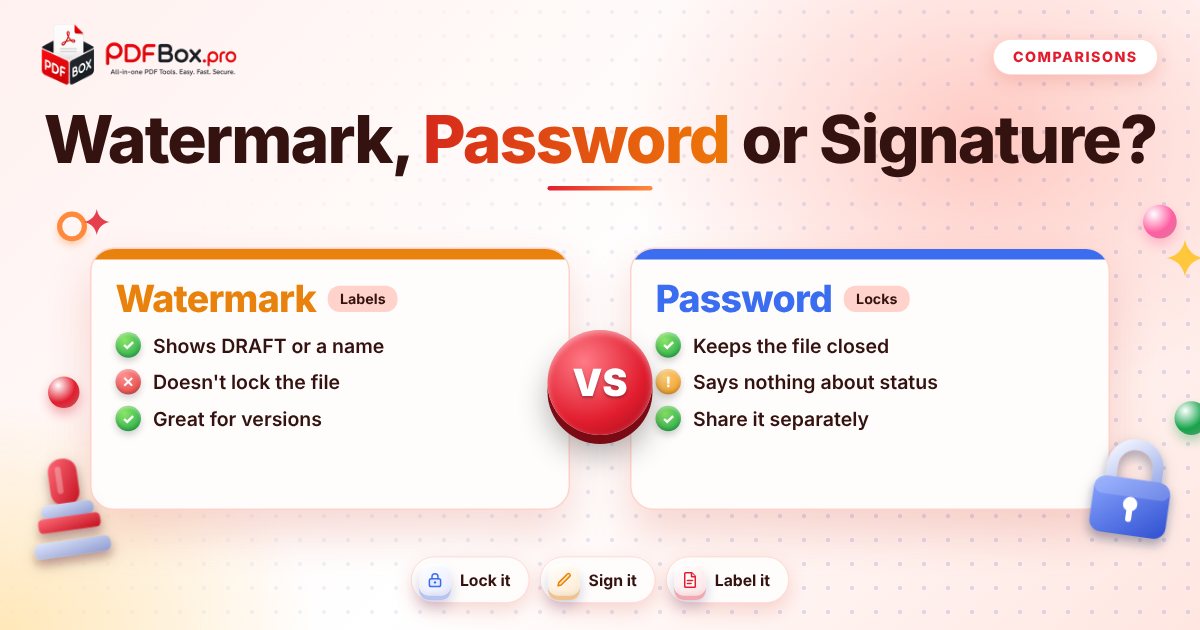
A watermark is visible text laid over the pages, like DRAFT, CONFIDENTIAL or a client's name. It tells every reader what the file is. It does not stop anyone from opening, copying or forwarding it.
A password is a lock on the file itself. Without it, the PDF doesn't open. It says nothing about the status of the content; a locked draft and a locked final look identical from the outside.
A signature is your mark at the bottom of a page showing you've read and accept it. It doesn't hide or restrict anything. (And with PDFbox it's a drawn, uploaded or typed signature image, so think "my name is on this", not "certified by an authority".)
- Watermark = label
- Password = lock
- Signature = approval
When is a watermark the right choice?
Use a watermark when the risk is confusion, not snooping. A draft contract that gets mistaken for the final one is a classic. So is a quote that's only valid for the client it was written for.
Good uses: DRAFT on work in progress, "For review only" on a proposal, a recipient's name on a copy you're handing out so you know which version is which, or SAMPLE on a preview.
Keep it readable. A huge, dark watermark across every page makes the document painful to read, and a recipient who can't read it is a recipient who emails you back. You can add one in a few clicks with Watermark PDF.
When do you need a password instead?
Use a password when the risk is the wrong people opening it. Think tax documents, an ID scan, a salary letter, anything you'd be uncomfortable seeing in a forwarded email chain.
A password is the only one of the three that actually keeps a file closed. Protect PDF encrypts your file with a password you choose, and you then share that password through a different route than the file (a text message, a phone call, not the same email).
Two honest cautions. First, pick something you won't lose; there's no reset button for a password you forgot. Second, as with any website, it's sensible to avoid uploading highly sensitive documents anywhere you don't need to.
When should you sign it?
Sign when the point is agreement or approval: a lease, a freelance contract, a permission slip, a form someone asked you to return.
Sign PDF lets you draw your signature, upload an image of it, or type it, then place it on the page. It's the right move when the recipient's question is "did you accept this?" and wrong when the question is "who can see this?"
One thing worth saying clearly: adding a signature image to a PDF is a convenient way to put your name on a page. Whether a particular document needs something more formal is a question for whoever asked you to sign it.
Can you combine them?
Yes, and sometimes you should. The order matters, though, because a locked file is harder to change afterwards.
A sensible sequence for a document that needs all three:
- Watermark first (for example DRAFT while it's being reviewed).
- Sign next, once the content is agreed and the draft mark is gone.
- Protect last, so the finished file is locked before it travels.
A quick decision table in words
Still not sure? Match your worry to a tool:
- "People might mistake this for the final version." Watermark.
- "I don't want strangers opening this." Password.
- "They need proof I agreed." Signature.
- "It's going to several people and I want to track which copy is whose." Watermark, one version per person.
- "It has personal details and needs my approval." Sign, then password.
Mistakes people make with all three
Treating a watermark like security. It's a label. If the content is sensitive, a watermark alone protects nothing.
Locking a file and sending the password in the same email. That's a key taped to the door. Use a second channel.
Signing a draft. Once your signature is on it, people assume the content is settled. Sign the version you mean.
Forgetting the password. Write it somewhere safe before you send the file. If you later need an open copy of your own file and you know the password, Unlock PDF removes it.
Making the file huge. After adding marks, check the size before emailing; if it's too big, Compress PDF can slim it down.
A real-world example: sending a freelance proposal
Say you've written a proposal for a new client. While your colleague reviews it, mark it DRAFT with Watermark PDF so nobody forwards it as final. After your colleague's edits, make a clean copy without the mark.
The client likes it and sends back a contract. You add your signature, and they add theirs. Because the contract includes your rates and bank details, you lock the final copy with a password and send the password by text message.
Three tools, three jobs, and no step was wasted. Notice what you didn't do: you didn't lock the draft (your colleague just needed to read it) and you didn't sign before the content was agreed.
The same pattern works for a rental application, an HR offer letter or a school form. Label while it's changing, sign when it's agreed, lock when it leaves your hands.
Your 30-second routine before sharing
Try it now: Protect PDF
Free, quick, and nothing to install. Open Protect PDF →
Ask yourself three questions in this order: Is it final? (If not, watermark it.) Does it need my approval on it? (If so, sign it.) Is it for specific eyes only? (If so, lock it.) Most everyday files need only one of these, and plenty need none. That's fine too.
Frequently asked questions
Does a watermark stop people from copying my PDF?
No. A watermark is a visible label placed over the pages. It tells readers what the document is, but it doesn't prevent anyone from opening, printing or forwarding it. If you need to control who can open the file, use a password.
Should I sign a PDF before or after password-protecting it?
Sign first, then protect. A locked file is harder to change, so finish the content and add your signature, then apply the password as the very last step before sending.
What if I forget the password I put on my PDF?
Unfortunately there's usually no way to recover it, so store the password somewhere safe before you share the file. If you still know it, you can use an unlock tool to remove it from your own file.
Back to all posts